
Google Ads Tag
外贸站功能介绍 · 更新于 2024-03-06
Google Ads Tag
对于通过Google广告进来的客户,Google Ads Tag可以追踪其在店内的行为。
全局网站代码设置如下:
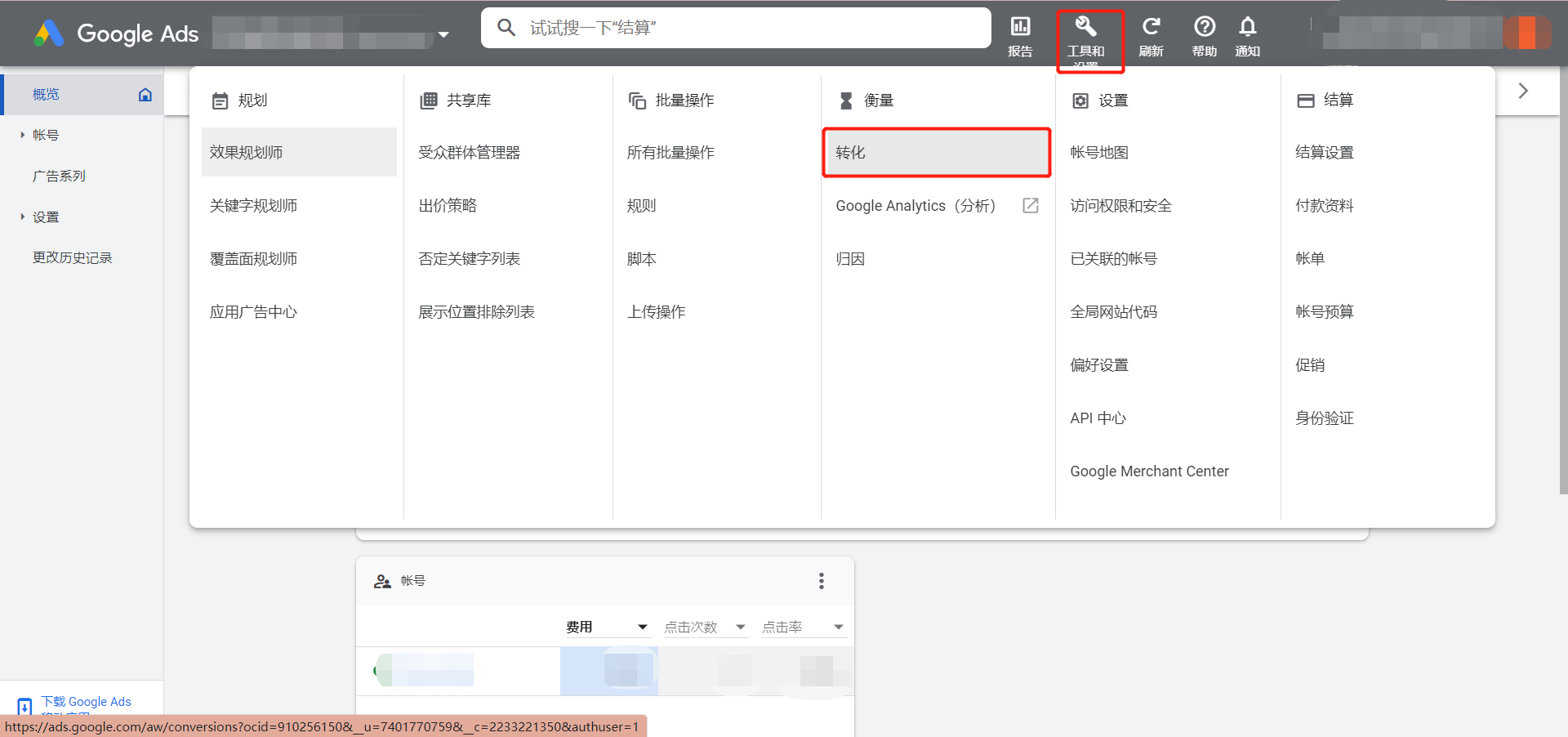
1. 在Google Ads后台选择【工具和设置】-【衡量】-【转化】
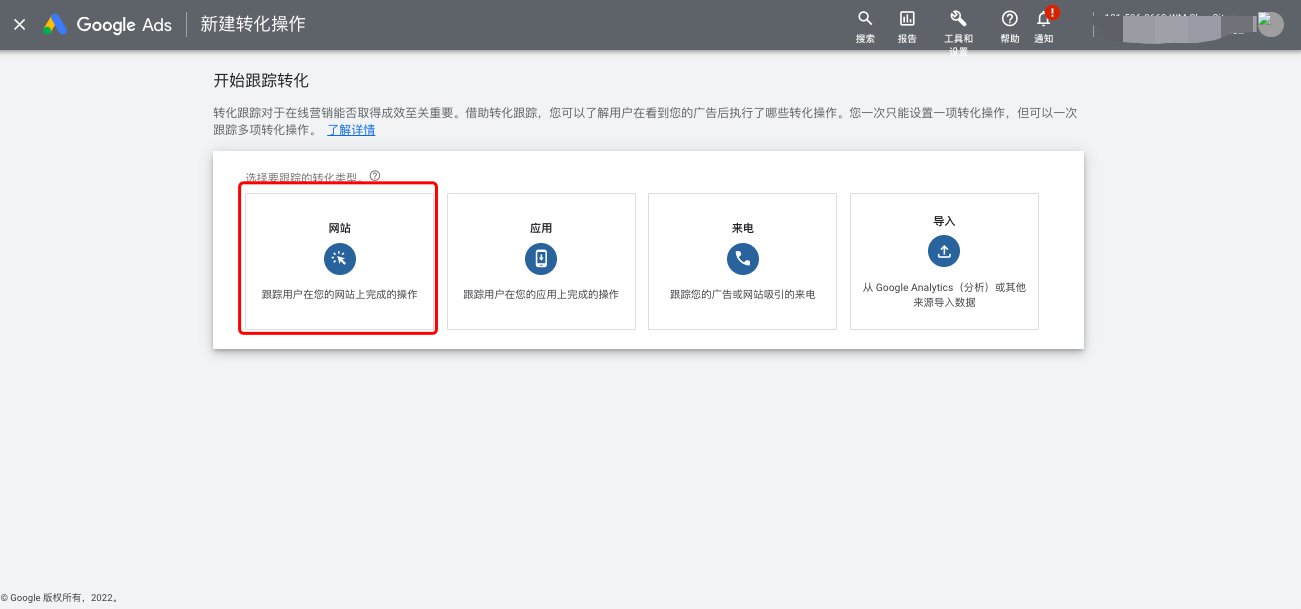
2. 新建转化操作,选择“网站”
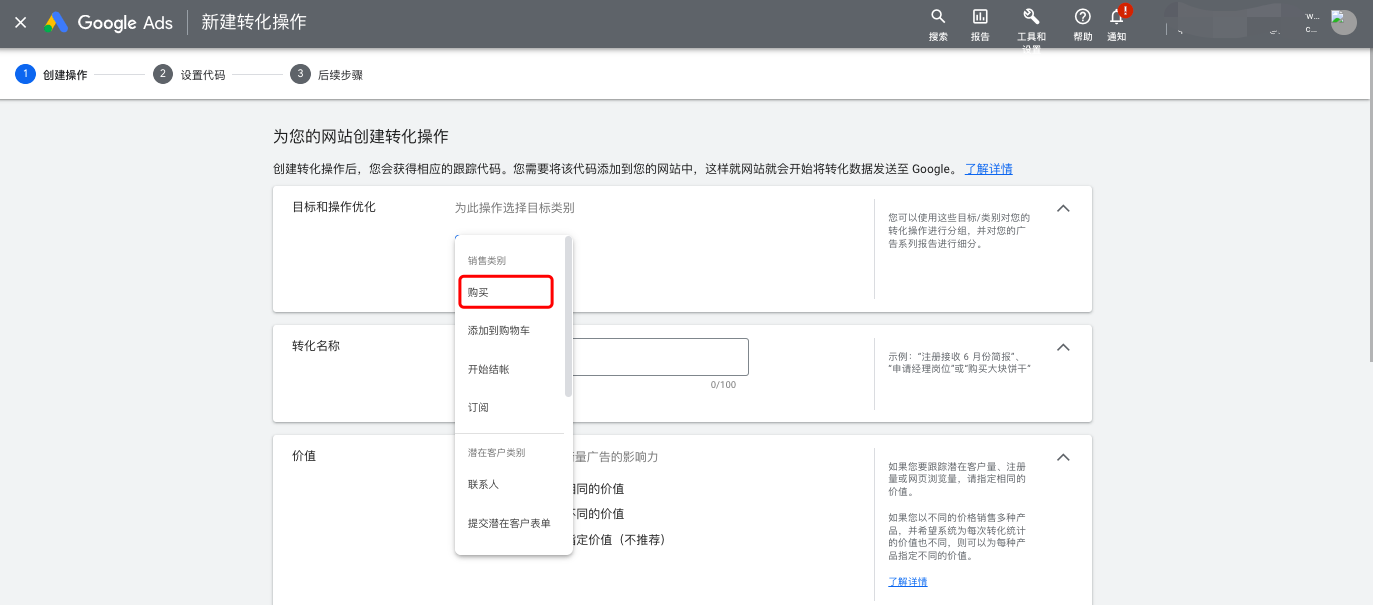
3. 以购买为例,选择购买事件
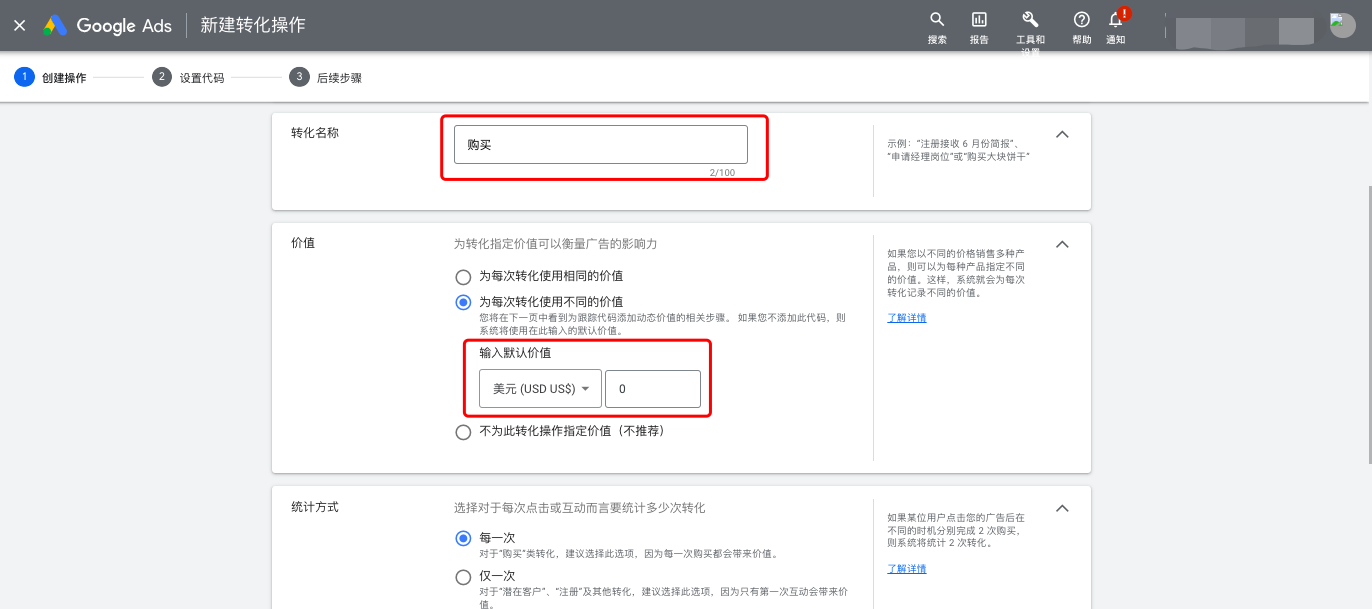
4. 设置每次转化使用不同的价值
5. 代码格式选择HTML
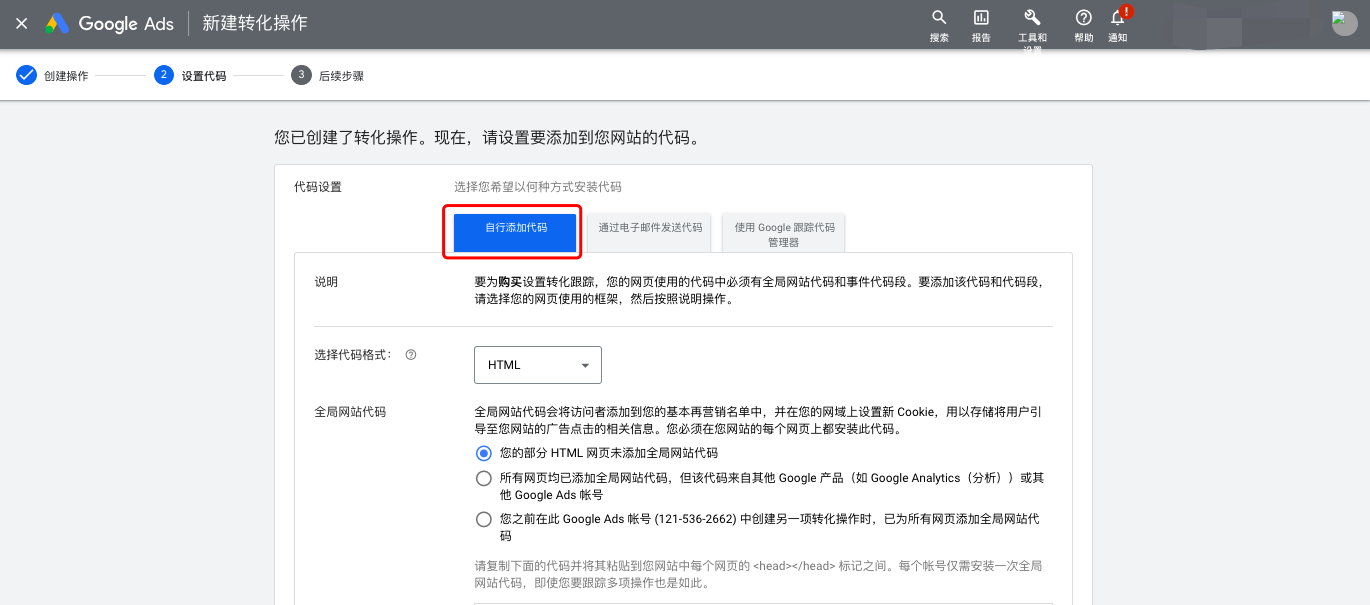
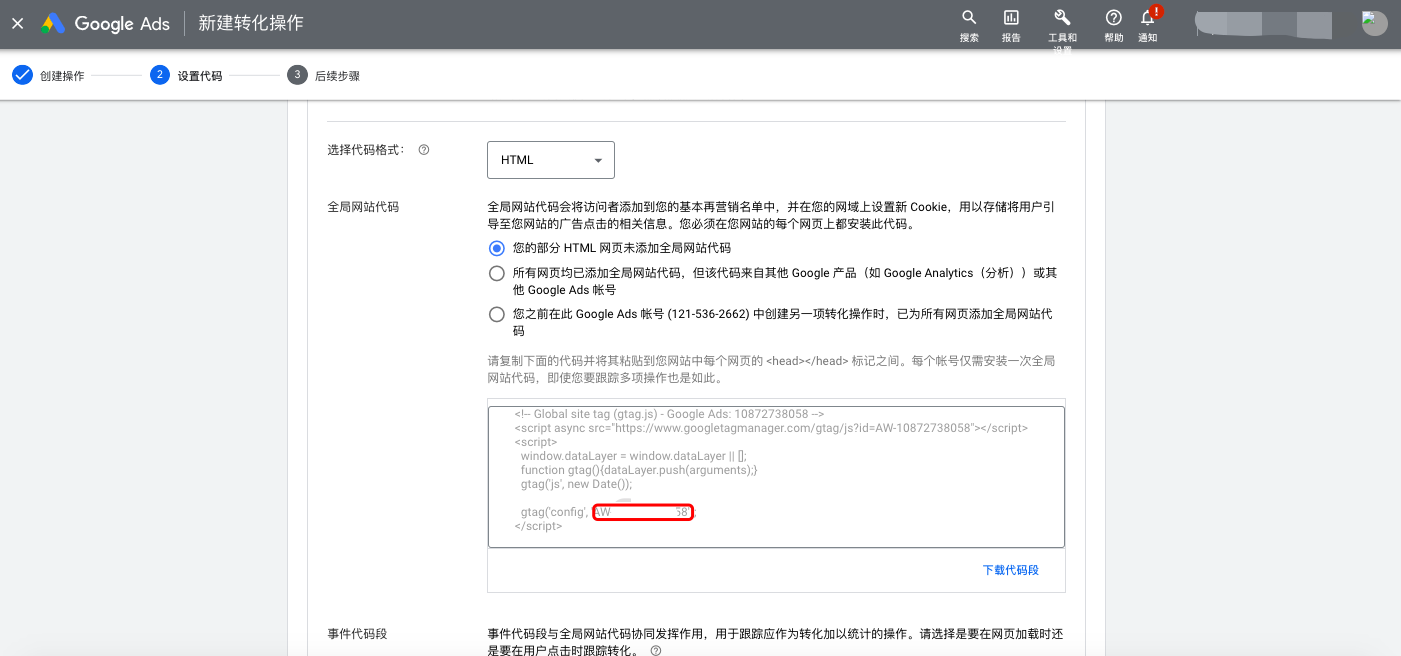
6. 复制全局代码中的"AW—xxx",将全局代码粘贴至网站后台--外贸应用--Google Ads Tag--全局网站代码ID 位置
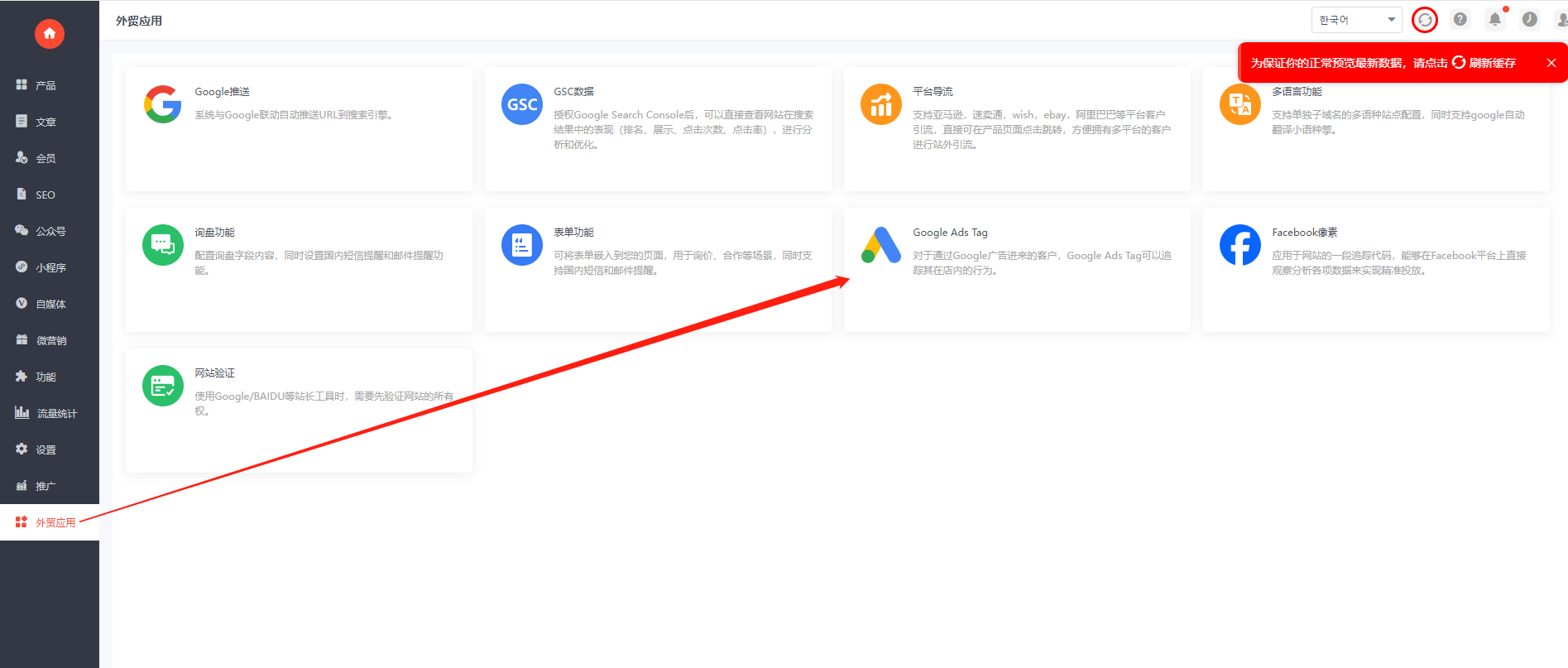
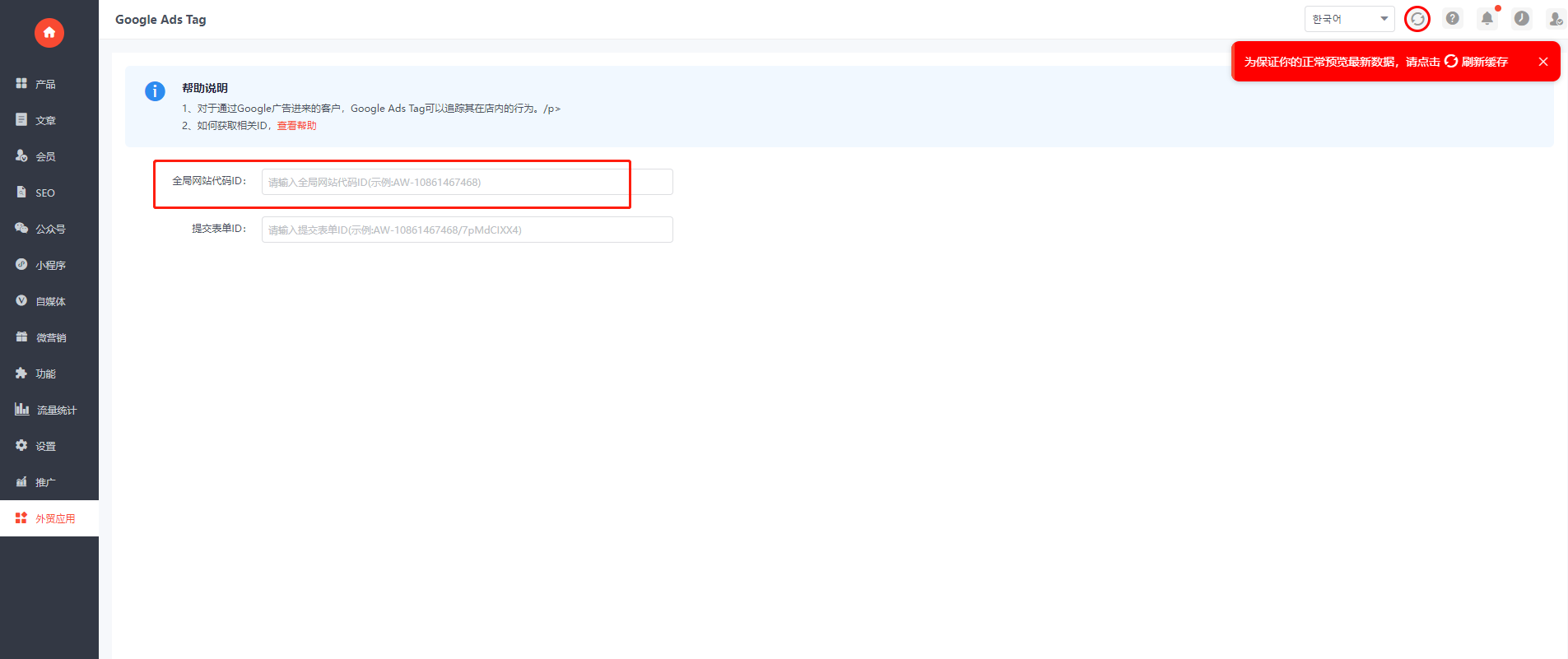
7. 将事件代码段中的“AW-xxxx/xxxx”样式复制到网站后台--外贸应用--Google Ads Tag--提交表单ID 位置
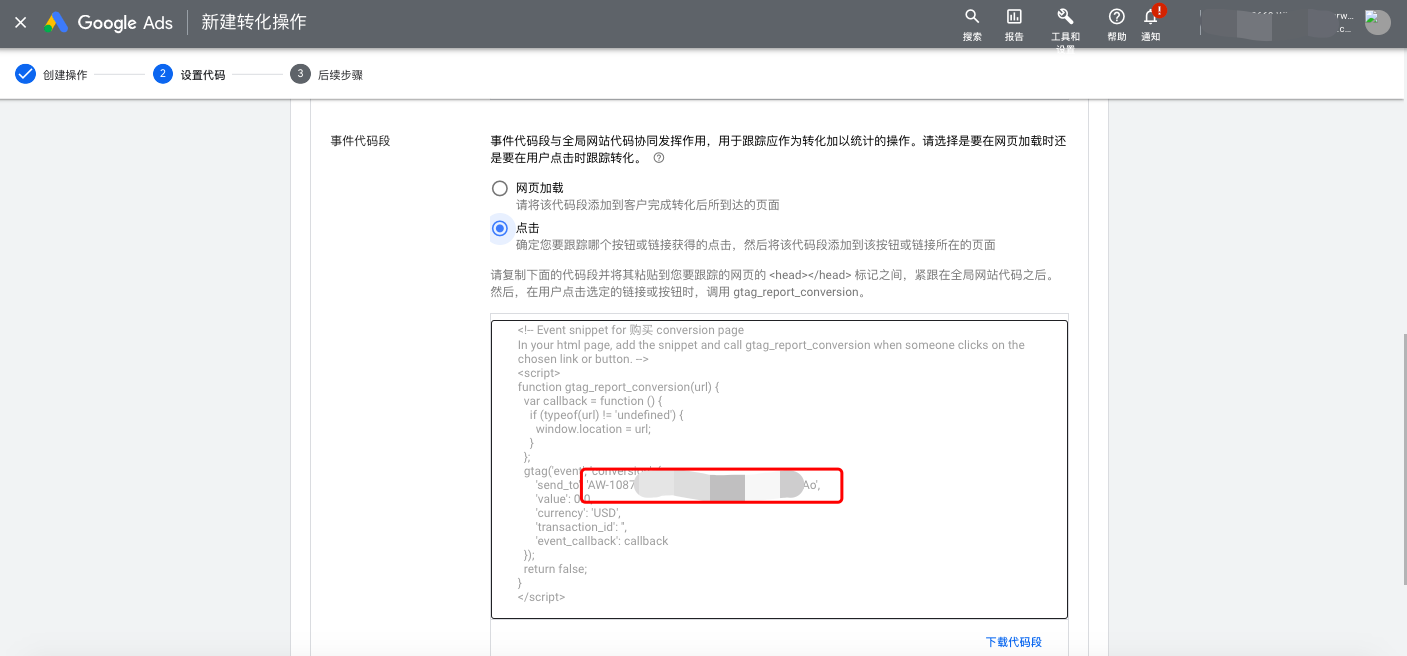
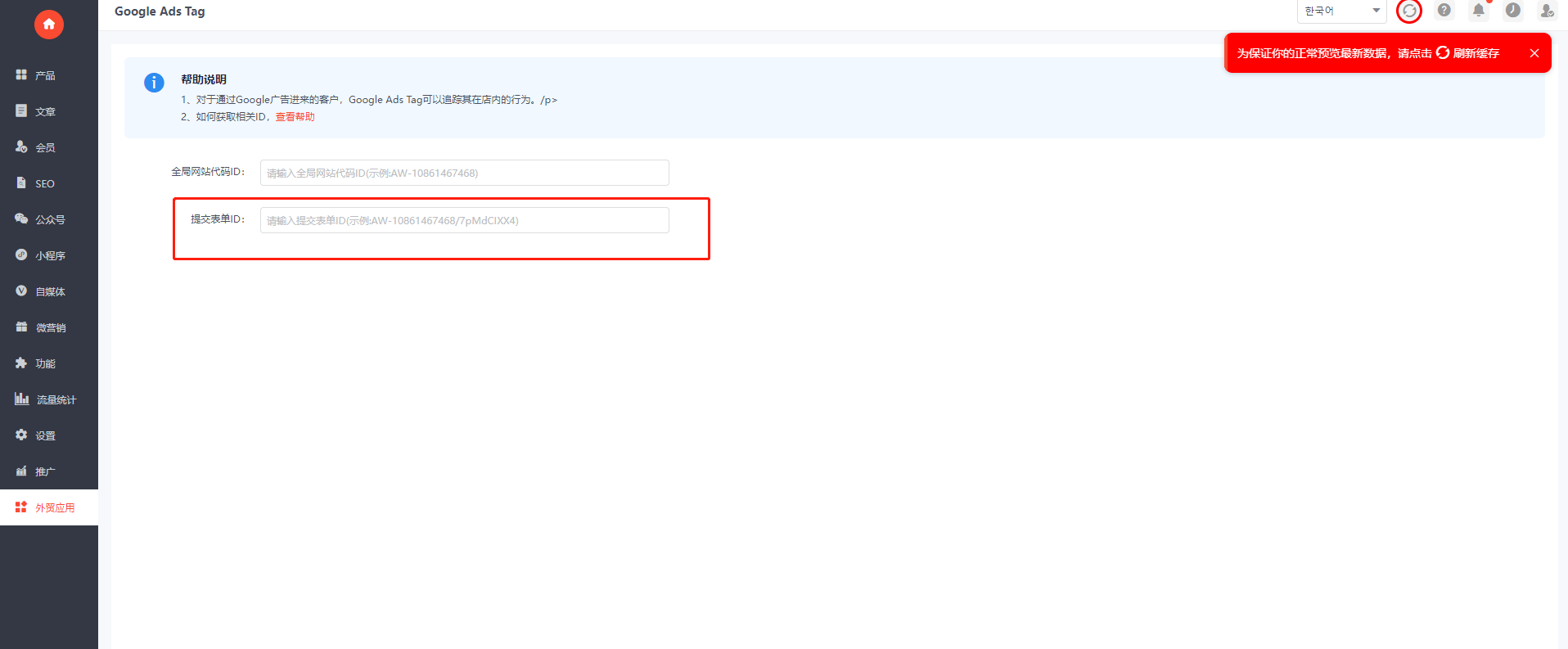
8. 其他事件依次复制并粘贴即可